
MAINTENANCE SOFTWARE FOR FITNESS SPACES
Report equipment problems. Keep follow-up in view.
Members and residents scan a QR label to report an equipment issue—without an app or login. Your staff can track the report and its status in one place.
- ✓ Simple, guided setup
- ✓ No member login
- ✓ Equipment-specific reports
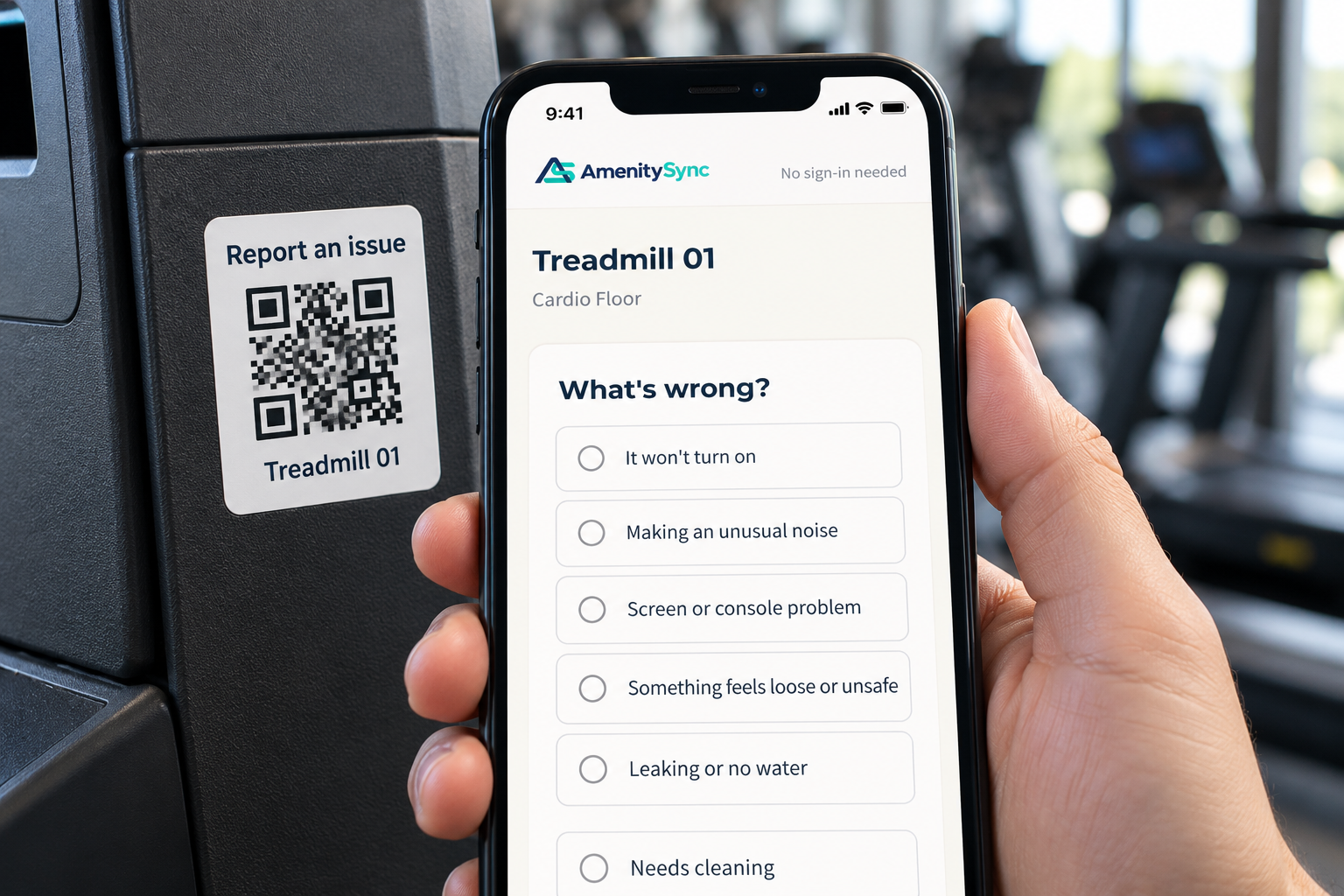
Report an issue right where it happens.
Scan the label
Open the reporting page for that piece of equipment.
Report the issue
Describe the problem without creating an account.
Track follow-through
Authorized staff review the report and update its status.
BUILT FOR FITNESS SPACES
A clearer reporting route for your facility.
Independent gyms
Give members a direct way to report equipment problems and help your on-site team keep track of follow-through.
Apartment fitness rooms
Help residents report issues where they happen, with equipment-specific reports available to property staff.
GUIDED SETUP
A practical path to your first report.
Review the inventory
Confirm the equipment included in your pilot.
Prepare QR labels
Assign equipment labels and plan their placement.
Orient your staff
Walk through reviewing reports and updating their status.
Test and launch
Check the reporting workflow with your team before launch.
FOUNDING PILOT
Try it on one facility for 90 days.
One facility, up to 100 assets, and no setup fee. Guided onboarding helps your team get started.
After the pilot, continue at $199 per location per month.
A few questions before you start.
Do members need an account?
No. Members and residents can report an issue through the equipment’s QR label without downloading an app or logging in.
Can we keep our repair vendor?
Yes. AmenitySync organizes issue reporting and tracking. Your staff and qualified service providers remain responsible for equipment safety decisions, inspections, and repairs.
Do we need an inventory before the demo?
No. We can demonstrate the workflow using sample equipment. If you explore a pilot, we’ll review your inventory with you.